An AI family assistant helps organize and use household information, from schedules and reminders to meals and family preferences. Kaia brings that help into the family chat, so everyone has somewhere to ask and the same parent does not have to answer every time.
Give Kaia something you are tired of carrying.
You do not need to organize your household before asking for help. Start with the dates, preferences and loose ends in your head. Kaia gives that information a shared home in the family conversation, so more of the answering can happen without you.
Start with a question your family already asks: who is collecting, what is for dinner, or what needs to be ready tomorrow. Give Kaia the details once, then let another family member use the shared plan. The useful test is what stops coming back to you.
Choose the first job carefully
Pick a task you already do often. A small repeatable task makes it easier to tell whether an assistant saves effort or simply changes the shape of the work.
- A school notice that needs dates and preparation tasks pulled out.
- A meal idea that needs to become a plan and shopping list.
- A weekly household reminder that should not depend on one person remembering.
- A changed pickup that needs a clear owner.
Three useful first messages for an AI family assistant
Use the job that is already on your mind. These are starting messages to adapt, not recorded customer conversations.
| The family job | A message to start with | What makes the result useful |
|---|---|---|
| School admin | Here is the school notice. Help us separate dates, preparation and things we need to confirm. | A plan an adult can check against the original notice |
| Dinner around activities | Practice ends at 6 and we have rice and beans. Help us plan dinner and the shopping we still need. | A meal that fits the evening and a list the shopper can use |
| A changed handoff | Sam is doing Thursday pickup instead. Help us update the details they need. | The current adult, time and place are clear |
Choose an assistant by the job you want help with
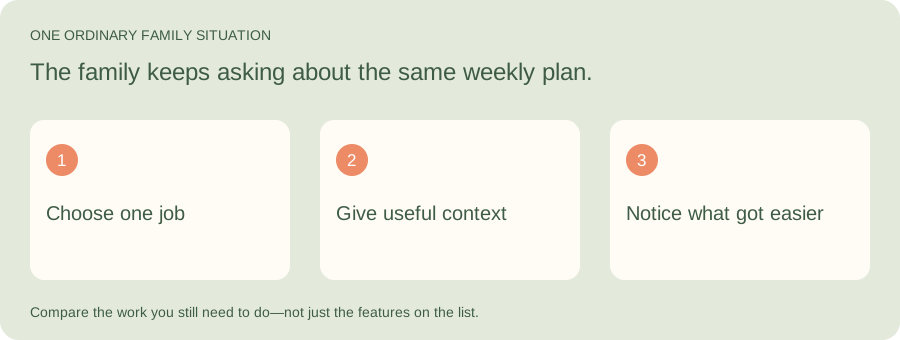
Illustrative family situation: The family keeps asking about the same weekly plan.
Kaia is built around the questions and plans already moving through family messages. Start with the recurring question you would most like help answering, then judge the fit on an ordinary week rather than a feature count.
| Part of the job | What to look for |
|---|---|
| Information | Can family members find the plan without another explanation? |
| Action | Can you turn a notice or dinner question into a useful next step? |
| Maintenance | How much effort does it take to keep the tool helpful? |
One family, different screens
A shared plan has to fit the devices your family already has. You might be at a work computer while another adult has a phone and a child checks the day on a tablet. Kaia pairs family chat with a browser dashboard, so checking the plan does not require buying a display or installing another app.
Try the handoff on the devices you actually use. Can the person doing pickup find the place and the current time? Can the shopper find the list? Make that part of your first week, rather than leaving it until everyone has settled into a new habit.
A shortlist to explore
These are starting points for your own task comparison, not a scored ranking.
| Option | Why it belongs on the shortlist |
|---|---|
| Kaia | A family assistant built around existing iMessage conversations |
| Ohai | A household assistant presented around text and talk |
| Anna | A dedicated AI family-assistant product |
| Gether | Another family-organization option to explore directly |
Use a three-task trial
First, give the assistant a clear task. Then give it one with a missing detail. Finally, change something after the original plan is made. Those three situations look much more like a family week than a single perfect prompt.
Write down the number of times you needed to repeat yourself, where the finished plan appeared, and whether another adult could act on it. A little notebook is enough; you are choosing household help, not running a laboratory.
Let the whole household try the new habit
Ask the other adults what they want to stop managing. Their answer may be different from yours. Start with an overlap: a shopping list everyone can use, a shared pickup plan, or a short look at the coming week. Avoid giving one parent the new job of teaching and supervising the assistant for everybody else.
Start with the job you want off your plate
Try this with Kaia: “Here is everything in my head about this week. Help me turn it into a plan the family can use.”
Keep the useful parts of your current routine. Let the next task show you where a family assistant can make the week easier.
See a worked family example
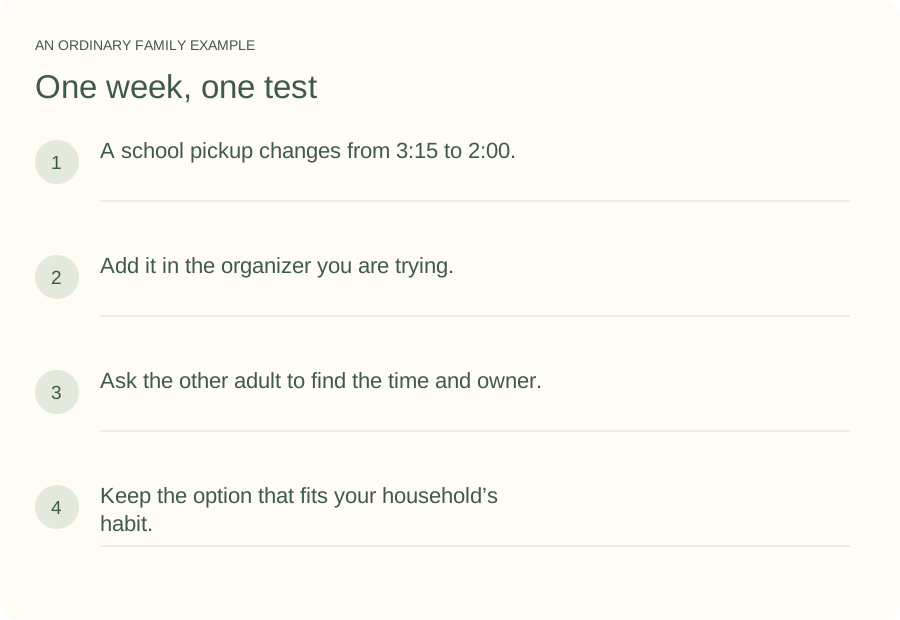
Illustrative household example; adapt the names and details to your week.
A few common questions
What is the difference between a chatbot and a family assistant?
A general chatbot can help you think through a plan. A family-assistant product is designed around recurring household use. Check its actual workflows, connections and sharing approach to see what it can carry beyond a single conversation.
What should I ask an assistant to do first?
Choose a familiar task with a clear result. For example: help turn one school notice into the dates and preparation tasks for the coming week. You will know what a useful answer looks like.
Will it make family planning effortless?
Family decisions still belong to the family. A useful assistant reduces some of the administration around them. Start with a specific recurring job and decide whether the help is meaningful to you.
How do I try Kaia with my family?
Start with one ordinary family task. Here is everything in my head about this week. Help me turn it into a plan the family can use. Use the Get started link to begin with Kaia, then build from the first useful task.