



Make “who’s got it?” clear.
Keep the plan and who’s handling what in one place. Your partner can ask Kaia directly, without another handoff from you.
One shared hub for your busy family's calendar, chores, meals and lists. Everyone just texts Kaia, so they stop asking you.
All family members included. No app to download. No card to start.
Users have switched from

which milk?
Horizon whole, blue carton
what time is swim?
5:30. Dad's driving.
which milk?
Horizon whole, blue carton
what time is swim?
5:30. Dad's driving.
which milk?
Horizon whole, blue carton
what time is swim?
5:30. Dad's driving.
which milk?
Horizon whole, blue carton
what time is swim?
5:30. Dad's driving.
Kaia remembers your family’s routines and preferences, so her help fits you better over time. Private chats stay private. Your family’s details aren’t shared with other families.
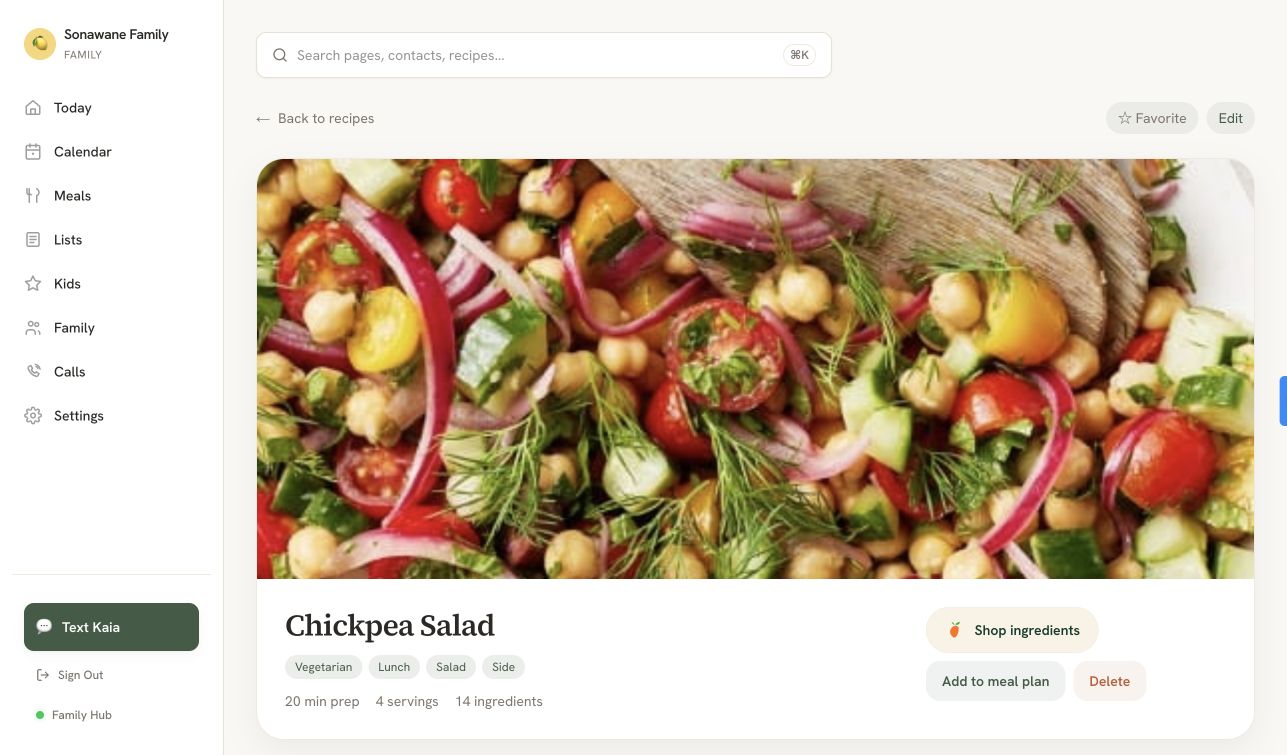
Found dinner on Instagram or TikTok? Send the link to Kaia. Keep your favorites in one place, plan your week, and get the ingredients onto your grocery list.
No copying ingredients. No hunting through saved posts.
Find your recipes together in the Family Hub, ready whenever you need them.
Add a recipe to your meal plan and its ingredients to your shared grocery list.
15 ingredients · 4 steps
The noticing, planning and reminding count as work, too.
Keep the plan and who’s handling what in one place. Your partner can ask Kaia directly, without another handoff from you.
Send a voice note, a photo or a jumble of texts. Kaia helps turn the pile in your head into a plan, one useful step at a time.
“I’m going to ramble. Picture day’s Friday, we’re out of milk, and I need to book Honey’s vet check. That’s it.”
Three things off your mind:
Which day works for the vet?
Everything you'd put on the family calendar, plus the jobs that never fit on one.
EXAMPLE CONVERSATION
Kaia lives in your group chat, so there's no display to buy or hang.
Soccer field, school gate, grocery aisle. The family calendar is in every pocket.
Snap your wall calendar or screenshot your current app. Kaia imports it.
Calendar, meals, chores and lists in one place. Open it on any phone, tablet or laptop you already own.

For once, the whole family actually uses it. Not just the one person who set it up and then begged everyone to download it.
Amanda · family of 5 · DenverDad's house finally knows what Mom's house knows. The kids stopped being the messengers.
Marcus & Jen · co-parentingKaia reminded me about picture day tomorrow. I was fully prepared to send my kid in a paint-stained shirt and call it a personality.
Sarah · mom of 3 · Austin, TXScreenshot your current app, snap your wall calendar and forward your schedule emails. Kaia reads it all and imports it, with no manual re-entry.
Kaia lives in the group chat your family already checks. There's nothing to download and nothing to learn. It comes to them.
Kids under 13 do not receive private DMs. You choose what Kaia can answer, what she can suggest and what needs adult approval.
You control that. Start in Suggest mode, move to Assist or Act when you trust the workflow, and dial it back anytime.
Yes. Kaia works over iMessage and SMS, on the devices your family already uses.
Kaia owns it and asks for correction. You can override anything from the Family Hub.