For families whose main problem is the remembering and coordinating, start with Kaia. She helps with schedules, meals and household details through the family chat. Shared calendars, dedicated apps and wall displays remain useful for different needs; the question is how much work you still have to carry.
Let the family ask Kaia.
The calendar is only part of the job. Someone still remembers the details, answers the questions and passes on the changes. Kaia brings that household knowledge into the family chat, so you can stop being the person everyone has to ask.
You do not have to reorganize your whole household to get started. Give Kaia one real task: the changed pickup, a school notice or tonight’s dinner. See how it feels to ask for help in the conversation you already use.
Start with the job, not the feature list
Write down three things you want to stop doing every week. Be specific: retyping practice times, answering what is for dinner, or reminding everyone to check the list. Those jobs give you a much better shortlist than a row of checkmarks.
| If your sticking point is… | Start by considering… |
|---|---|
| Everyone needs the same dates | Google Calendar, Apple Calendar or TimeTree |
| Dates, groceries and to-dos live in separate places | Cozi or FamilyWall |
| Children need a plan they can see in the room | Skylight or Hearth |
| Family information arrives as scattered messages and pictures | An assistant such as Kaia or Ohai |
Try the same school notice in each organizer
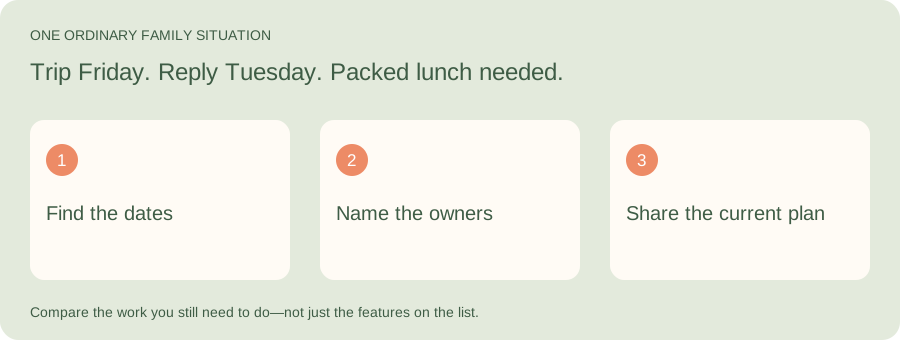
Illustrative family situation: Trip Friday. Reply Tuesday. Packed lunch needed.
When comparing family apps, look at the work between receiving information and having a plan someone else can use. With Kaia, start by bringing the notice into the family conversation and asking for help with the dates and next steps.
| Part of the job | What to look for |
|---|---|
| Date | Friday trip, with the actual time and location |
| Preparation | Permission by Tuesday; lunch arranged before Friday |
| Responsibility | One person owns each unfinished step |
Shared apps: useful when the family will check them
Cozi brings schedules and household lists together. FamilyWall also combines family planning and communication. TimeTree is centered on shared calendars. Each is worth considering when your household wants a dedicated place to look.
Try one ordinary change before moving everything: add a pickup, change its time, and ask another adult to find the new plan without your help. That small test says a lot about whether the app will become a shared habit.
Already using one of these? Start with our Cozi alternatives guide, which separates moving dates from moving the rest of the family admin.
For a household using several organizer features, our FamilyWall alternatives guide includes a keep, move and leave-behind checklist.
If your shared calendar works but the jobs around it do not, see our TimeTree alternatives guide for a school-trip example.
Wall displays: a different kind of visibility
A screen in the kitchen can make the day easier to see without anyone picking up a phone. That matters when children are beginning to follow routines themselves. The practical question is where your family naturally pauses, not where a display looks best in a photograph.
Phone access still matters. The person waiting outside school needs the plan too. Compare the in-room experience and the away-from-home experience as separate jobs.
An assistant: begin with the conversation
Kaia starts in the iMessage conversations your family already uses. The appeal is having somewhere to put the new information while you are thinking about it, rather than remembering to open another organizer later.
An assistant and a visible calendar can also serve different purposes in the same household. You do not have to replace a system that already works to improve the part that takes too much effort.
Comparing assistants? Our Ohai alternatives guide gives you a sample school notice and a follow-up change to try with Kaia.
Give your shortlist one normal week
Use the same three tasks with each option. Keep notes on what you had to do yourself, not just whether the final screen looked tidy.
- Add one school event, including who is taking the child.
- Change a plan and check that the other adult can find the update.
- Put dinner ingredients on a list the shopper will actually use.
- Ask each adult which part felt easier and which part added work.
Start with the job you want off your plate
Try this with Kaia: “Help us organize this week: school pickups, dinners and the things everyone keeps asking me.”
Keep the useful parts of your current routine. Let the next task show you where a family assistant can make the week easier.
See a worked family example
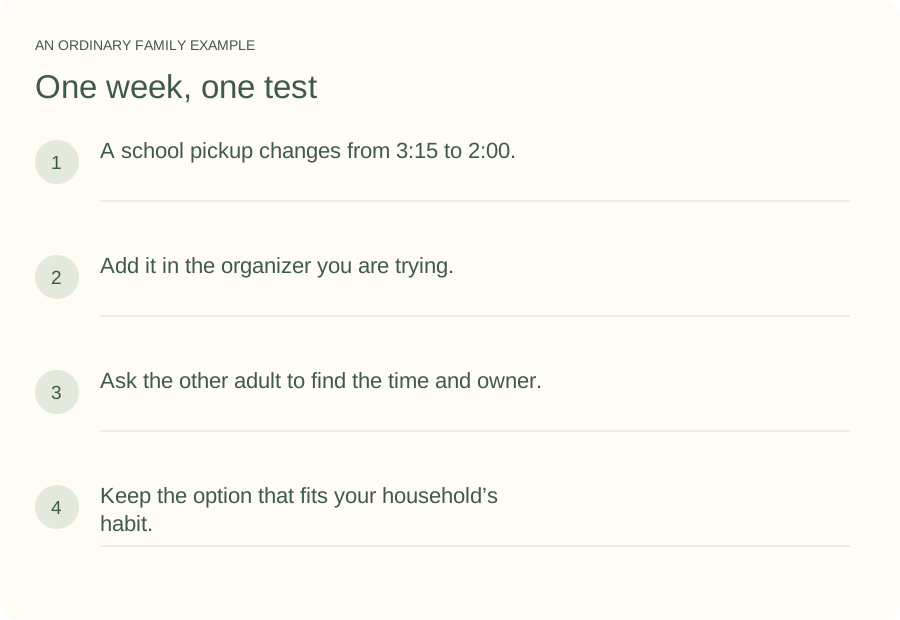
Illustrative household example; adapt the names and details to your week.
A few common questions
What is the best free family organizer?
A shared Google or Apple calendar may cover the job if you mainly need dates. Cozi and other organizers offer free entry options; compare the current plan details for the features you need. Start with your household’s task rather than assuming you need the largest bundle.
Do we need a family app and a calendar?
Not necessarily. Begin with one agreed source for dates. Add a separate tool only when it takes over a clear task, such as meal planning or turning incoming information into actions.
How do I try Kaia with my family?
Start with one ordinary family task. Help us organize this week: school pickups, dinners and the things everyone keeps asking me. Use the Get started link to begin with Kaia, then build from the first useful task.